
As part of our ongoing CORE Dashboard Educational Series, this second installment focuses on the Indexing Status tab. This tab provides detailed insights into how CORE indexes your repository, highlights any issues, and offers actionable information to help you manage and improve repository visibility. Whether you’re a repository manager, librarian, or scholarly communications professional, understanding these metrics is key to maintaining high-quality, discoverable content.
All information about indexing your repository by CORE is placed under the “Indexing Issues” tab. It contains all details, numbers, dates, and issues that can be useful for repository managers managing repositories. In the “Indexing status” tab, we have 4 main sections:
- Last successful indexing
- Total indexed outputs
- Indexing status
- Indexing issues (Issues and Warnings)
Let’s see what each of them is about.
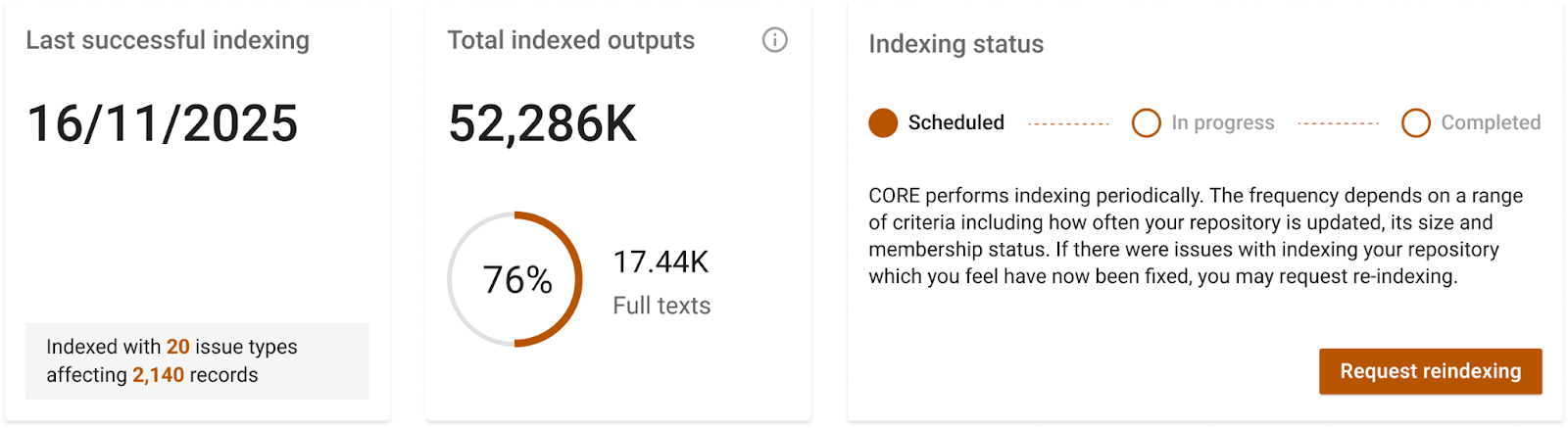
Last successful indexing. This is the time when metadata was successfully downloaded by CORE over OAI-PMH of your repository. In this section, you can also see how many issues were found by type and how many records were affected in your repository.
Total indexed outputs. This is the number of outputs CORE has been able to index from your repository. If this number doesn’t match your record, you can investigate by making sure that your repository is compliant with the CORE Data Provider’s Guide. Any issues we might have detected with your repository on the Indexing status tab are also a good indicator to understand the differences.
Indexing status. The repository’s indexing status is indicated by the progress bar displayed here, with 3 steps: scheduled, in progress, and completed.
- Scheduled: This status is displayed after you have manually clicked the “Request reindexing” button, indicating that your repository reindexing request has been submitted. Our team will then review and process your request and start the indexing process, after which the status will update to “In progress.”
The “Scheduled” status is absent from the automated indexing workflow. Due to the nature of automatic indexing, a continuous loop is established where, immediately upon completion of repository indexing, the process is automatically moved to a queue for a new indexing cycle, resulting in an “In progress” status.
In progress: This status indicates that your repository is currently undergoing reindexing. This procedure may require 1-2 weeks for completion, depending on the size of the repository and our current resources usage. Upon the conclusion ofindexing, the status will transition to ‘Completed’. This phase of the indexing process is usually most time-consuming as it requires processing all the aspect of your repository.
- Completed: The reindexing of your repository is now complete. This stage of the indexing process is the shortest because upon conclusion of the initial repository indexing, it is automatically moved to a queue for a new indexing cycle and is assigned the status of “In progress.”
This section also includes the “Request reindexing” button, which offers a way to speed up the repository indexing if needed. This feature allows you to notify us when changes have occurred that require CORE to reindex the repository. You can request a reindexing any time, but we will prioritise requests that are coming after the following circumstances:
- The repository was last indexed more than two months ago.
- Metadata changes in the repositories have been applied, and it is desirable for these changes to be reflected on CORE.
- Issues within the repository have been resolved.
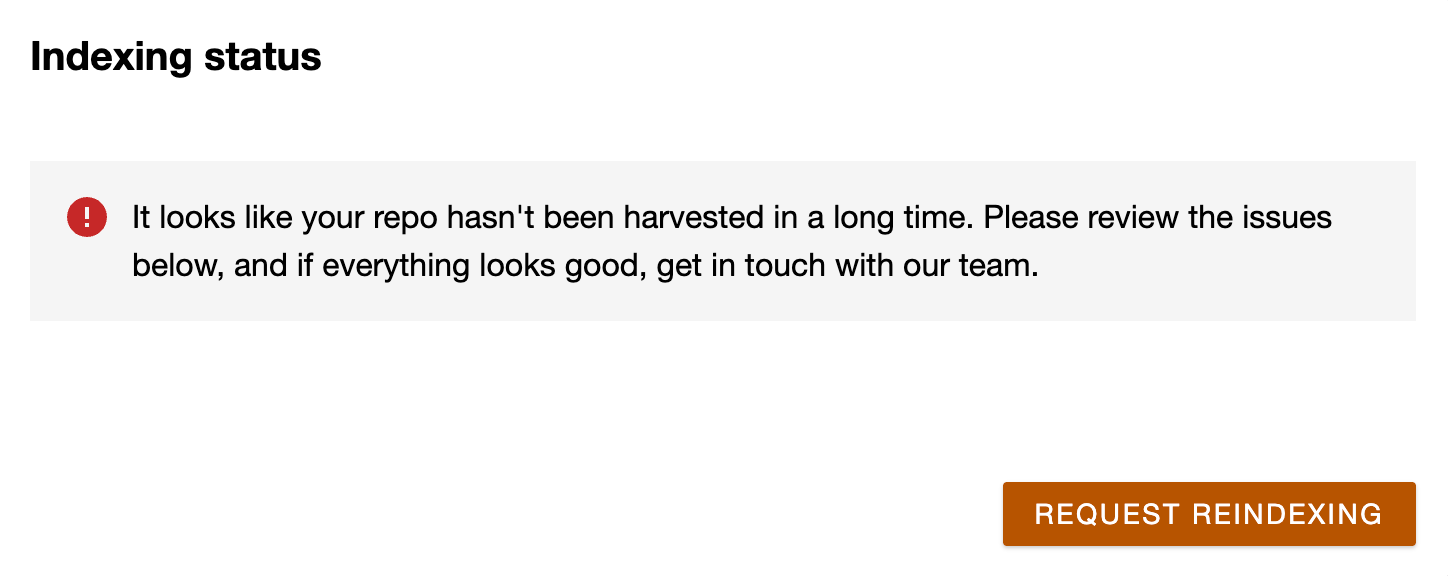
Another important piece of information you might see here is a notification that alerts you when CORE is experiencing issues with indexing your repository, resulting in it not being indexed for an extended period. In such an event, we recommend that you investigate any potential issues and submit a request for the reindexing of your repository if there is any change in the status.
Indexing issues
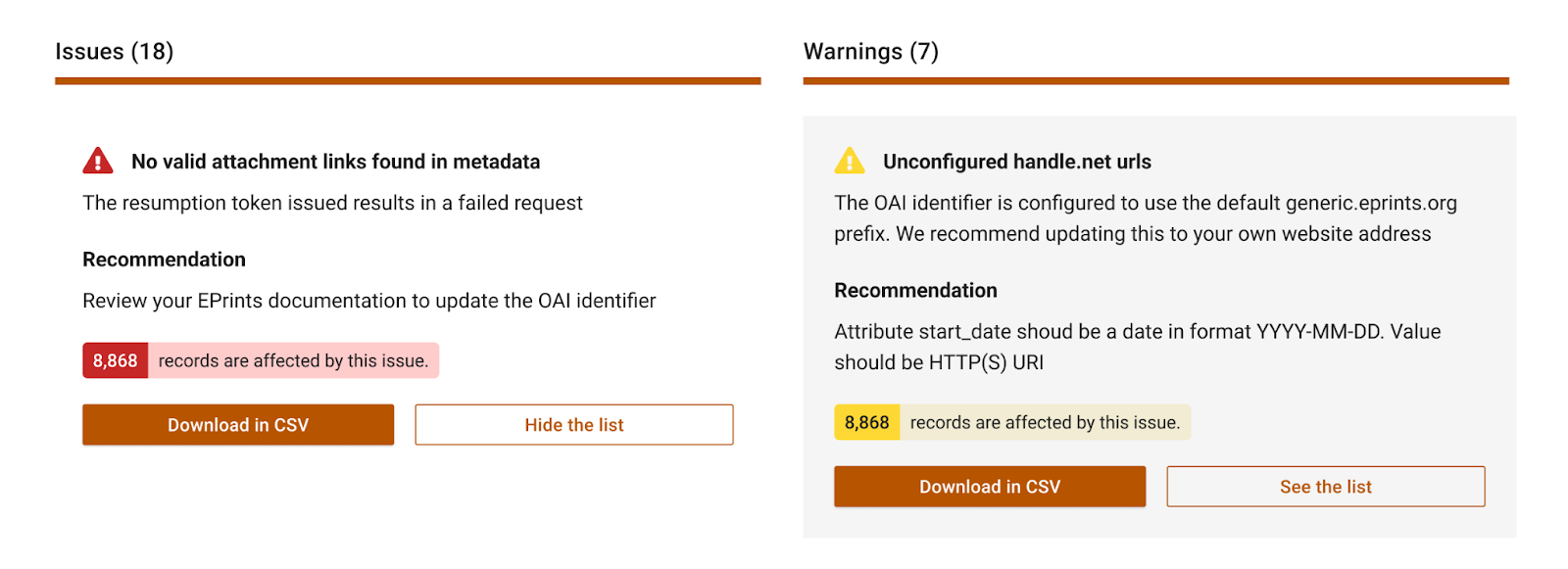
ISSUES are critical errors identified by CORE during the indexing process of your repository, which prevent successful indexing. Some issues are specific to individual papers within your repository, and a list of these papers can be reviewed or downloaded. Other issues relate to the overall repository configuration or the OAI PMH URL; these will not include a downloadable list of papers.
WARNINGS are primarily associated with incorrect configurations in your repository. While not critical and not detrimental to the repository’s operation, resolving these warnings is recommended as it will enhance the repository’s visibility, compliance, and overall configuration.
CORE provides recommendations for each “issue” and “warning,” which can be utilized to resolve the problem and enhance your repository’s visibility and discoverability.
CORE Dashboard Education Series: Indexing Status Q&A Session
Join our online Q&A session on 6 April at 11:30 am BST to get your questions answered and share feedback about your repository’s indexing status.
Use this link to join: CORE Dashboard Education Series: Indexing Status Q&A Session | Meeting-Join | Microsoft Teams
If you cannot attend, we still welcome your feedback via the “Feedback” button in the dashboard: “Feedback”.